TR

For student dorms

Irons, parcels, repairs. Everyday dorm life in one app.

Students borrow what they need from the dorm by the hour, see on their phone when a parcel arrives and report repairs with a photo. Reception manages it all from one screen. The app opens with your dorm’s name, logo and colour.

Free pilot with the first dorms in Istanbul

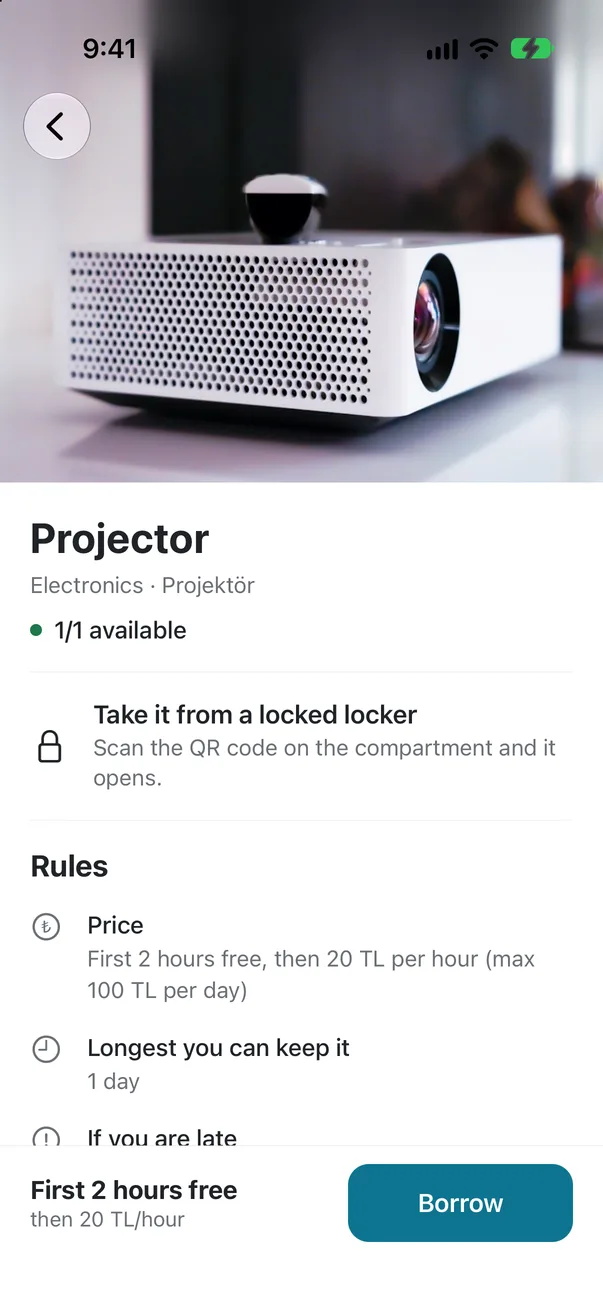
Item details: photo, rules and the Borrow button
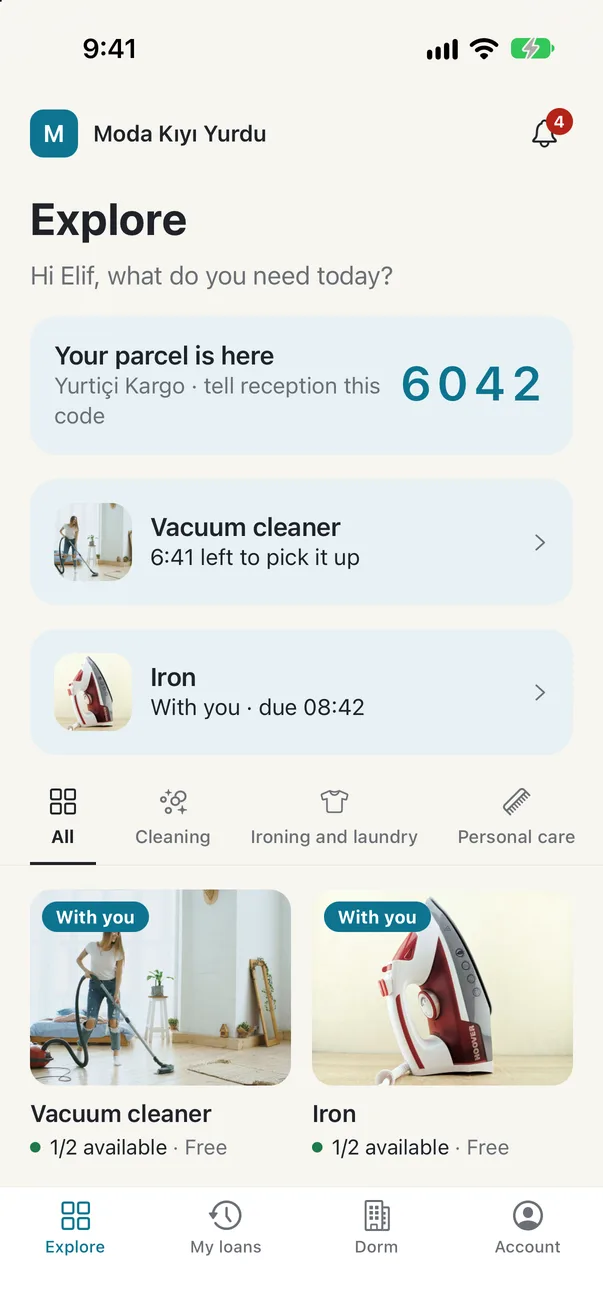
Student app home: a parcel pickup code, current loans and items to borrow

Sound familiar?

  • The iron lost in a notebook

    Lent items are written in a notebook; nobody knows who has what or when it’s due.

  • Parcels piling up at reception

    Students don’t know their parcel has arrived; reception chases them one by one.

  • Repairs lost in group chats

    Reports and announcements scroll away in WhatsApp groups; nobody knows who saw them.

Shared dorm services, organised and on record

Turn each part on or off to fit your dorm.

Lending

No more hunting for the iron

Students see what’s available in the app and request it, then pick it up at reception or from a smart locker. The due time is on their screen and they get a reminder before it runs out.

  • Photo check-in and check-out
  • Late returns flagged automatically, with a fee if you want one
  • Students can extend from the app
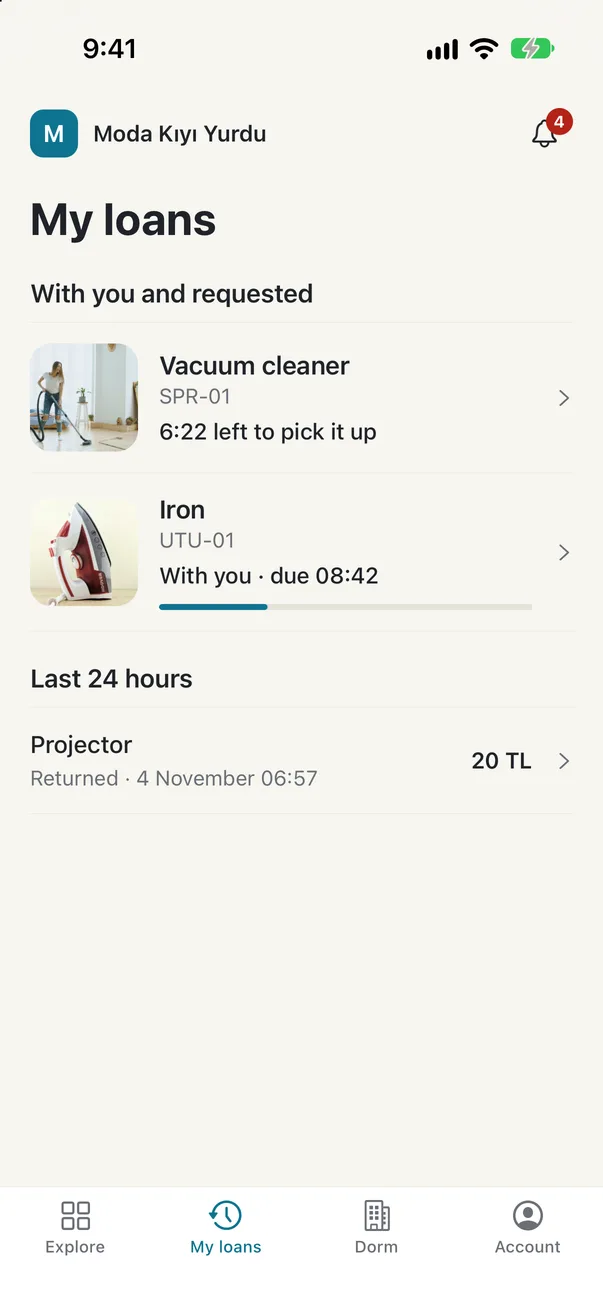
My loans: the iron the student has, time left and a pending request

Parcels and announcements

Students know the moment a parcel arrives

Reception logs the parcel; the student gets a notification and a 4-digit pickup code. Announcements live in the same place, with a phone notification.

  • Whoever has the code collects it
  • A reminder after 3 days
  • See how many students read each announcement
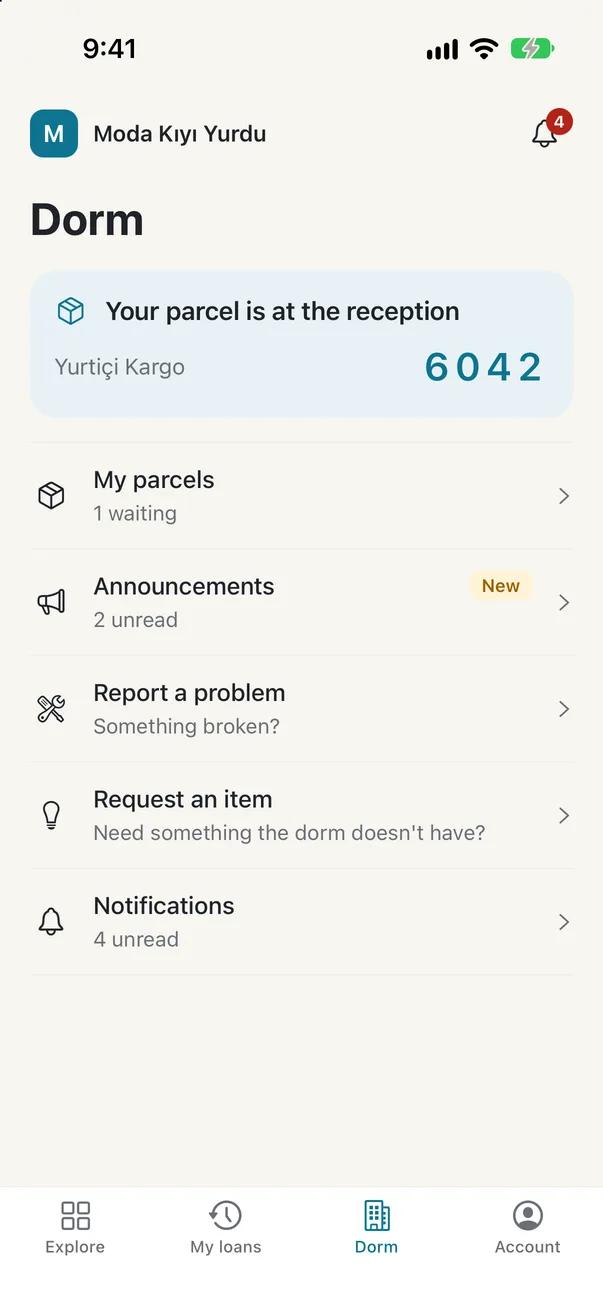
Dorm screen: the pickup code for a parcel at reception, announcements and repair requests

Repair requests

Repairs don’t get lost, they get done

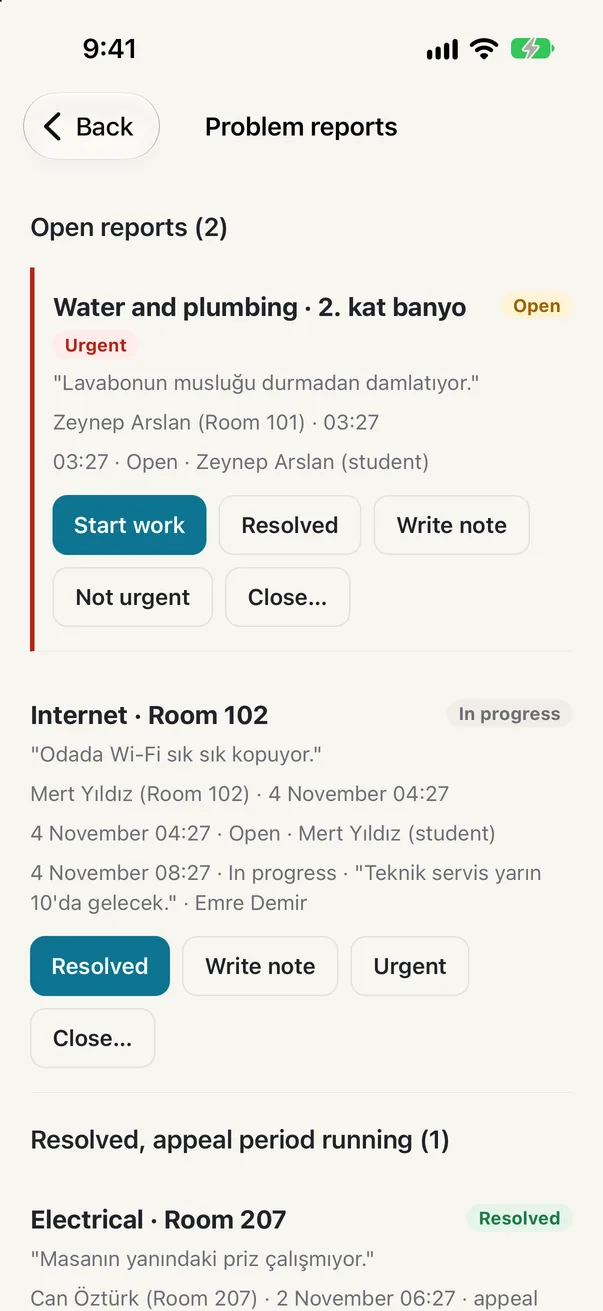
Students report a problem with a photo. Staff see it in a list, take it on, add notes and mark it solved; students follow every step on their phone.

  • Staff get a phone notification for urgent ones
  • Students can reopen it if it isn’t fixed
  • Every step recorded with time and name
Staff list of repair requests: an urgent one and one in progress

Fees and cash desk

Paid items keep their own accounts

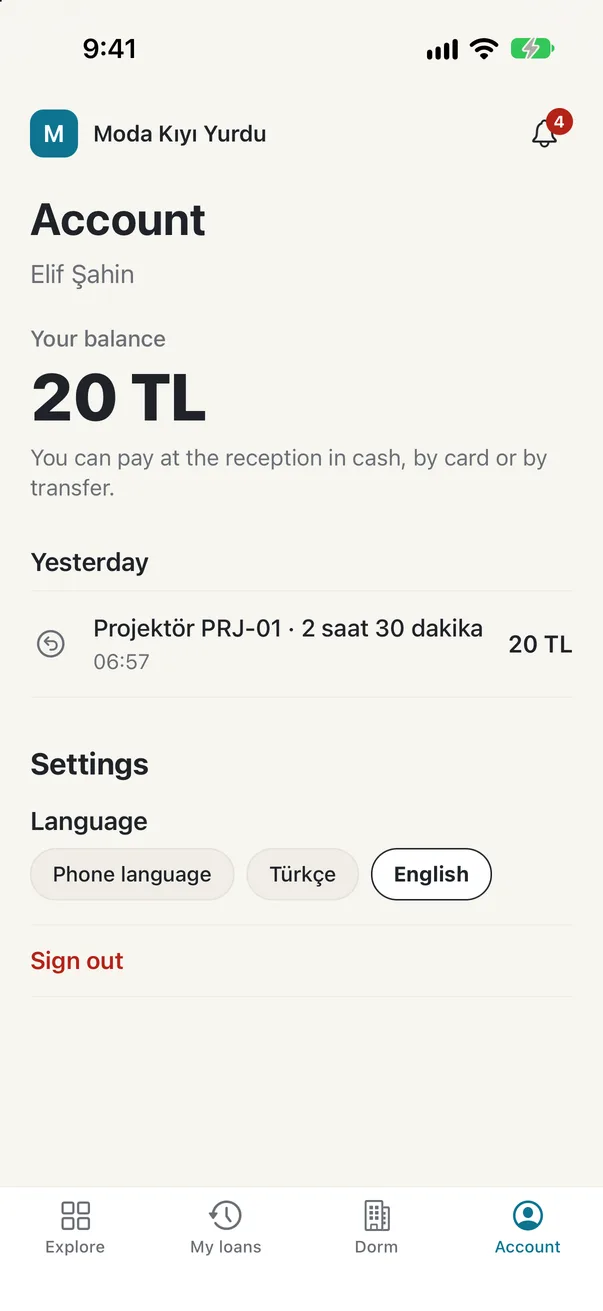
Time beyond the free period goes on the student’s account. Reception takes payment in cash, by card or transfer, and the receipt lands on the phone.

  • Students over the debt limit can’t borrow more
  • Daily cash report as PDF
  • Corrections need a manager’s approval
Student account: balance and activity by day

Also

Up and running in three steps

  1. 1

    We set up your dorm

    Your name, logo and colour; items from ready-made templates, fee rules from you. We do the setup together.

  2. 2

    You put up the QR poster

    Students scan the poster and join with a code sent to their email. Reception approves them with one tap.

  3. 3

    The dorm runs itself

    Students use the app; reception and management use their phone or the web panel.

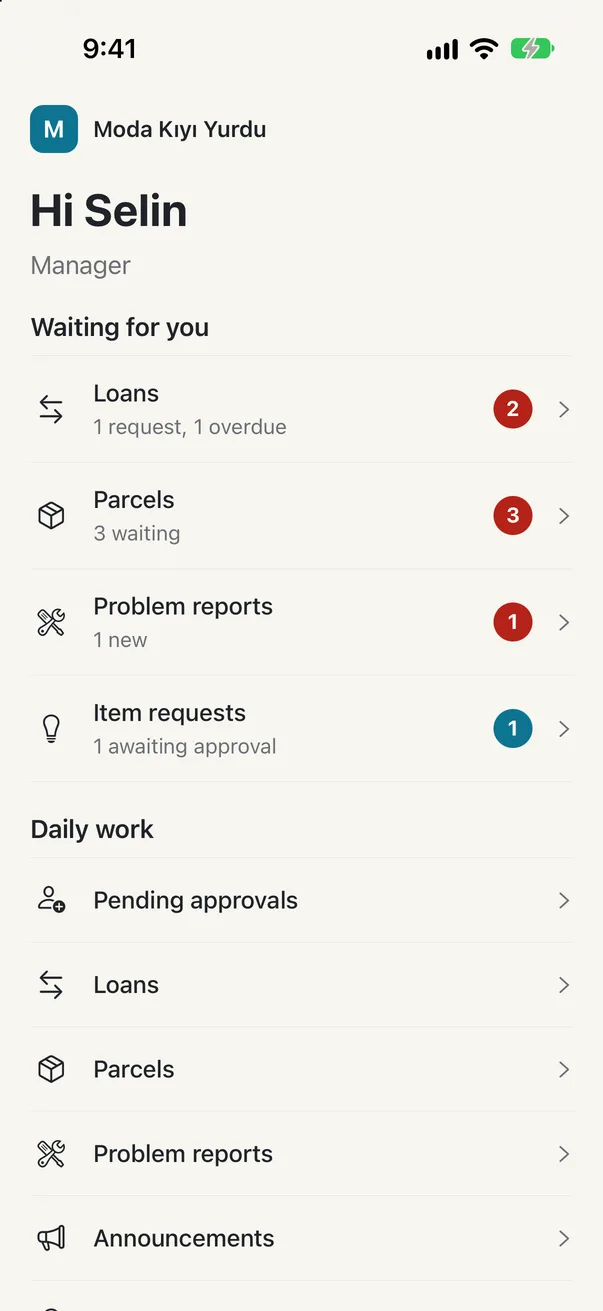
Staff app home: tasks waiting

For reception and management

Everything waiting, in one list

The staff app shows students awaiting approval, late items, new parcels and open repairs together.

  • Phone notifications for urgent repairs and lock problems
  • Receipts and daily cash reports as PDF
  • Separate permissions for reception and managers
  • The same data on phone and computer

Your students see your dorm, not Yatore

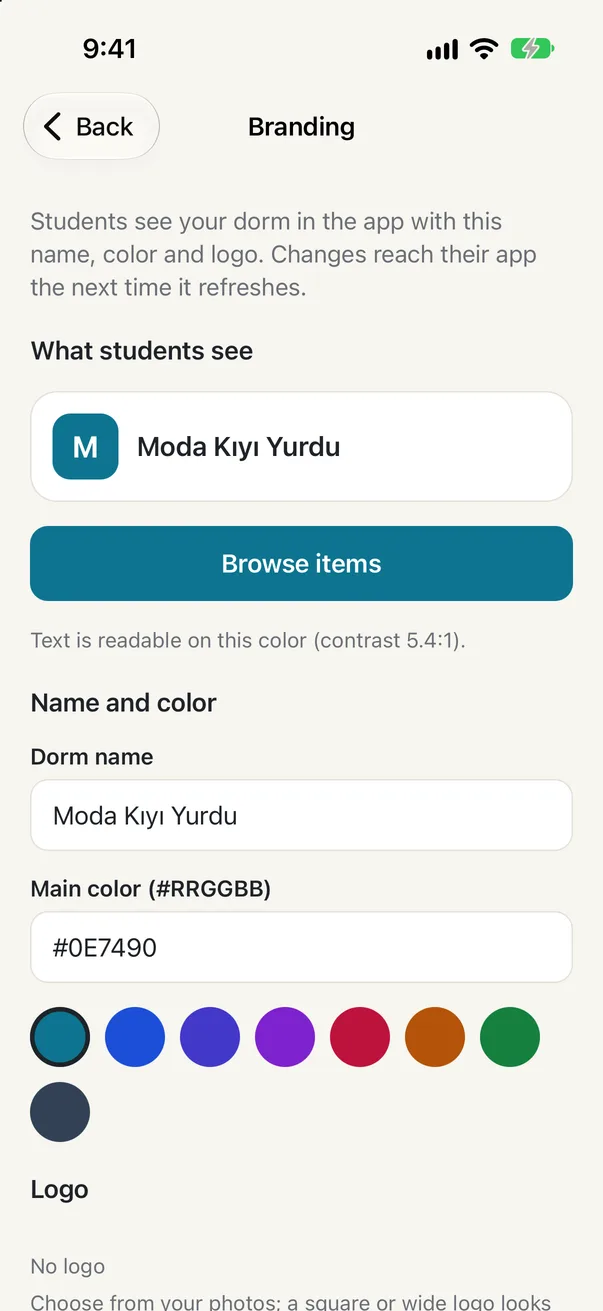
The app opens with your dorm’s name, logo and colour. The join poster, receipts and notifications carry your name too.

Manager branding screen: dorm name, colour and a preview of what students see

Built with care

Free pilot with the first dorms in Istanbul

We’re talking with dorm managers now. In January 2027 we can visit your dorm in Istanbul and show you the app in person.

Frequently asked questions

Do we need smart lockers?

No. Items can be handed over at reception. If you want lockers, a small smart lock per compartment is enough, and we help with the setup.

Do students pay?

You decide: an item can be free, or free for the first hours and paid after that. Reception takes payment in cash, by card or bank transfer; there is no in-app card payment.

Which phones does it work on?

The student and staff apps are on iPhone for now; Android comes later. Staff can also work from any computer through the web panel.

How much does it cost?

The pilot is free. After that there will be a monthly or yearly subscription.

What happens to personal data?

Data is used only to run your dorm’s service. Data protection documents (privacy notice, data processing agreement) are shared with you before the pilot.